Portable Power Stations for Home Backup: 2026 Buyer's Guide
Last updated: 2026-10-07
How do you choose a portable power station for home backup?
Short answer: Pick a capacity class first, then check three things on the maker’s spec page: how fast it switches over when the grid drops (the UPS time), whether it expands with extra batteries, and whether the maker sells a transfer switch or home panel for it. The units below run from 1,024 Wh to 3,840 Wh in a single box, and the bigger ones expand well past that. Anything that ties into your breaker panel goes to a qualified electrician, not a YouTube video, and you check local permit requirements first.
Where I live, on a hill in Washington State, windstorms take the power out often enough that home backup isn’t a hypothetical. This guide groups eleven power stations by the watt-hours each maker prints. It doesn’t crown a best model. Every spec and price comes from the manufacturer’s own page, read on October 7, 2026. I haven’t run these units through a test protocol for this page, so nothing here is a test result.
Step 1: Know what the spec sheet is telling you
- Capacity (Wh) is the size of the tank.
- Continuous output (W) is how much it can power at once. Surge, “X-Boost,” “Power Lifting,” and “Lifting Power” are each maker’s own terms. They aren’t interchangeable, and I’m keeping each maker’s label.
- UPS switchover (ms) is how fast the unit takes over the load when wall power cuts out, if your gear is plugged through it.
- Cycle life is each maker’s stated cycle count to a stated remaining capacity. Different makers state different end points.
- Expandability is whether you can add batteries later.
- Home-panel accessory is whether the maker sells a transfer switch or panel. That is the line between “extension cords to the fridge” and “circuits in the house.”
If you haven’t worked out how much capacity your house needs, start with what size power station you need for home emergencies. For every model I cover, the portable power stations hub has the full list.
Class 1: About 1,000 Wh
This is the extension-cord class: the fridge, the router, a lamp, a phone bank. Three units, three makers.
| Model | Capacity | Continuous / surge | Cycle life | UPS | Weight |
|---|---|---|---|---|---|
| Jackery Explorer 1000 v2 | 1,070 Wh | 1,500 W rated; 3,000 W surge peak | 4,000 cycles to 70%+ | under 20 ms | around 23.8 lb |
| Anker SOLIX C1000 | 1,056 Wh | 1,800 W; 2,400 W surge | 3,000 cycles (80%) | not printed | 28.44 lb |
| EcoFlow DELTA 3 Plus | 1,024 Wh | 1,800 W total across 6 outlets; surge 3,600 W; X-Boost 2,200 W | 4,000 cycles to 80+% | <10 ms | approx. 27.6 lb |
Sources: Jackery Explorer 1000 v2, Anker SOLIX C1000, EcoFlow DELTA 3 Plus.
Jackery Explorer 1000 v2
Jackery prints LiFePO4 chemistry, 400 W max DC input when you use both DC ports, and an AC charge mode of 100–120V, 15A max, with a 1,500 W bypass mode. The under-20 ms switchover is Jackery’s figure.
Anker SOLIX C1000
Anker prints 600 W max solar input and 1,300 W max AC input. Anker says it reaches up to 2,112 Wh with an expansion battery, which its page marks “Coming soon.” The UPS switch-time row on the page I read was blank, so I’m not giving you a number.
EcoFlow DELTA 3 Plus
EcoFlow prints two solar ports at 500 W max each, 1,500 W AC charging, and 1–5 kWh expansion with DELTA 3, DELTA 2, DELTA 2 Max, or DELTA Pro 3 Extra Batteries.
Class 2: About 2,000 Wh
This class gets you higher continuous output and, on most of these, an expansion path.
| Model | Capacity | Continuous / peak | Cycle life | UPS |
|---|---|---|---|---|
| Jackery Explorer 2000 v2 | 2,042 Wh | 2,200 W output | not printed on the page read | ≤20 ms |
| Anker SOLIX C2000 Gen 2 | 2,048 Wh | 2,400 W continuous; 4,000 W peak | 4,000 cycles to 80% | 10 ms |
| EcoFlow DELTA 3 Max Plus | 2,048 Wh | 3,000 W total; surge 6,000 W; X-Boost 3,800 W | not printed in spec table | <10 ms |
| BLUETTI Elite 200 V2 | 2,073.6 Wh | 2,600 W continuous; 3,900 W Power Lifting for pure resistive loads | not printed | not printed on the page read |
Sources: Jackery Explorer 2000 v2, Anker SOLIX C2000 Gen 2, EcoFlow DELTA 3 Max Plus, BLUETTI Elite 200 V2.
Jackery Explorer 2000 v2
Jackery prints 2,042 Wh, 2,200 W output, LiFePO4 chemistry it says lasts over 10 years, and a ≤20 ms UPS. The page I read listed only bundles, not a standalone price, so I don’t have one to give you.
Anker SOLIX C2000 Gen 2
Anker prints 800 W solar input (11–60V, 17A) and expansion with the BP2000 (Gen 2), a 2,048 Wh battery, up to 4 kWh. Weight is 41.7 lb (18.9 kg).
EcoFlow DELTA 3 Max Plus (2048Wh)
EcoFlow prints LFP (LiFePO4) chemistry, 1,000 W max PV input, and 2–10 kWh expansion with Smart Extra Batteries plus an Expansion Adapter that EcoFlow says “will be released soon.” Net weight is printed as 22.1+0.4 kg.
BLUETTI Elite 200 V2
BLUETTI prints 1,000 W max solar input, 1,800 W max AC input (charging plus bypass), and 53.4 lb. Its 3,900 W “Power Lifting” mode is for pure resistive loads; BLUETTI doesn’t call it surge, so neither do I. The page I read didn’t show cycle life, outlet count, UPS time, or expansion.
Class 3: About 2,700 Wh and up, with a home-panel path
This is where the makers start selling transfer switches and home panels alongside the unit.
| Model | Capacity (single unit) | Output | Cycle life | UPS | Home-panel accessory |
|---|---|---|---|---|---|
| BLUETTI Apex 300 | 2,764.8 Wh | 3,840 W; 7,680 W Lifting Power | up to 6,000 cycles, 80% retention | 0 ms or 20 ms (page states both) | AT1 panel |
| Jackery HomePower 3600 Pro Max | 3,584 Wh | 4,000 W at 240V or 2,000 W at 120V | 6,000 cycles | sub-10 ms | Manual Transfer Switch bundle |
| Anker SOLIX F3800 Plus | 3,840 Wh | 6,000 W max total (see note) | 3,000+ cycles | not printed | 10-Circuit Manual Transfer Switch bundle |
| EcoFlow DELTA Pro 3 | 4 kWh base | 4,000 W total at 120/240V; X-Boost up to 6,000 W | 80% after 4,000 cycles | 10 ms | Smart Home Panel 2; Manual Transfer Switch |
Sources: BLUETTI Apex 300, Jackery HomePower 3600 Pro Max, Anker SOLIX F3800 Plus, EcoFlow DELTA Pro 3.
BLUETTI Apex 300
BLUETTI’s page conflicts with itself in two places, so here is what it says, both ways:
- Switchover: “Fast 0ms or 20ms switching.” The page states both figures.
- Expansion: one line says 2.7 kWh to 100 kWh. Another says “Connect 2–3 units and up to 18 batteries for up to 11.52kW output and 58kWh capacity.” I’m not picking one. Ask BLUETTI which applies to your setup.
BLUETTI also prints up to 4,000 W solar input (with an asterisk) and up to 19.2 kW with SolarX 4K. It says the unit, when connected to the AT1 panel, can “Power essential circuits during outages.” BLUETTI markets the switching for CPAP machines; that is marketing, not medical approval (more on that below).
Jackery HomePower 3600 Pro Max
Jackery prints LFP cells it says are “designed to last 16+ years (6,000 cycles),” a sub-10 ms UPS, UL 9540 certification, and expansion up to 21.5 kWh for a single unit or up to 43 kWh in parallel. A single unit delivers 2,000 W continuous at 120V with starting current up to 33A. Jackery says that when it’s connected to a Manual Transfer Switch, Jackery Automatic Transfer Switch, or Jackery Smart Transfer Switch, the unit supports automatic backup. Jackery also markets “no electrician needed” for getting 240V output from a 120V outlet. That claim is about the outlet trick, not about installing a transfer switch, which is panel work.
Anker SOLIX F3800 Plus
Anker’s spec table prints 6,000 W max total and a 120V/240V L14-30R outlet at 6,000 W max. A footnote on the same page says “3,300W for single unit, 6,000W when working with 1 or more expansion batteries,” so read the footnote before you plan around 6,000 W. Expansion is up to 6 BP3800 batteries at 3,840 Wh and 72.8 lb each. Solar input is 3,200 W total across two ports (1,600 W max each, 11–165V). AC input is 1,800 W max charging and 1,440 W in bypass. Anker prints generator switching times of 30 ms (F3800 Plus to generator) and 50 ms (generator to F3800 Plus), not a grid UPS time. Net weight is 136.7 lb. Anker markets “no electrician needed” for adding expansion batteries; that doesn’t extend to its transfer-switch bundle.
EcoFlow DELTA Pro 3
EcoFlow’s page also conflicts with itself on expansion. The headline says “Expandable Capacity: 4–48 kWh.” The comparison table on the same page says “Up to 36kWh, 12kW.” Both are on the page. I’m not picking one.
EcoFlow prints 2,600 W total solar input across two ports (High-PV 1,600 W, Low-PV 1,000 W) and approx. 51.5 kg. Its 6,000 W X-Boost isn’t labeled surge. Smart Home Panel 2 has 20 ms switchover and supports up to 3 units, and EcoFlow says it “requires installation before use,” with the fee depending on an assessment.
Step 2: Check the UPS time if anything can’t blink
If you plan to leave a router or computer plugged through the unit, here’s every UPS time the makers print, as they print it:
- Jackery Explorer 1000 v2: under 20 ms
- Jackery Explorer 2000 v2: ≤20 ms
- Jackery HomePower 3600 Pro Max: sub-10 ms
- Anker SOLIX C2000 Gen 2: 10 ms
- EcoFlow DELTA 3 Plus and DELTA 3 Max Plus: <10 ms
- EcoFlow DELTA Pro 3: 10 ms
- BLUETTI Apex 300: 0 ms or 20 ms (page states both)
Anker C1000, Anker F3800 Plus, and BLUETTI Elite 200 V2 didn’t print a grid UPS time on the pages I read.
Medical equipment: read the maker’s warning
Jackery says its portable power stations are not recommended for medical devices, life-support equipment, data servers, or uses where an interruption could cause injury, death, or significant property damage, and it advises people with implanted pacemakers or other implanted medical devices not to use the product (Jackery Explorer 1000 v2 FAQ). If you depend on a CPAP or oxygen, talk to your equipment provider and your doctor before you build a plan around any of these.
Where you store it matters
Garages get cold here. Jackery prints charging at 32 to 113 F and discharging at 14 to 113 F for the Explorer 1000 v2. Anker prints charging at 32 to 104 F and discharging at -4 to 104 F for the C1000. EcoFlow prints charging at 32 to 113 F and discharging at 14 to 113 F for the DELTA 3 Max Plus. If your storage spot falls outside the range the maker prints, move the unit. If the same unit will also ride along on trips, my portable power station for camping guide covers that side.
Panel hookups: always a qualified electrician
This is the part I won’t soften. Never plug a backup source into a wall outlet to power house wiring. The CPSC calls that backfeeding and, in Safety Alert 5123, calls it extremely dangerous. The alert is written for generators.
The NFPA says that if you must connect a generator to house wiring, a qualified electrician should install a properly rated transfer switch in accordance with the National Electrical Code and state and local codes. NFPA wrote that for generators, and I hold power stations to the same rule; it’s the only code-referencing source I’m working from here. Check your local permit requirements before anyone opens the panel.
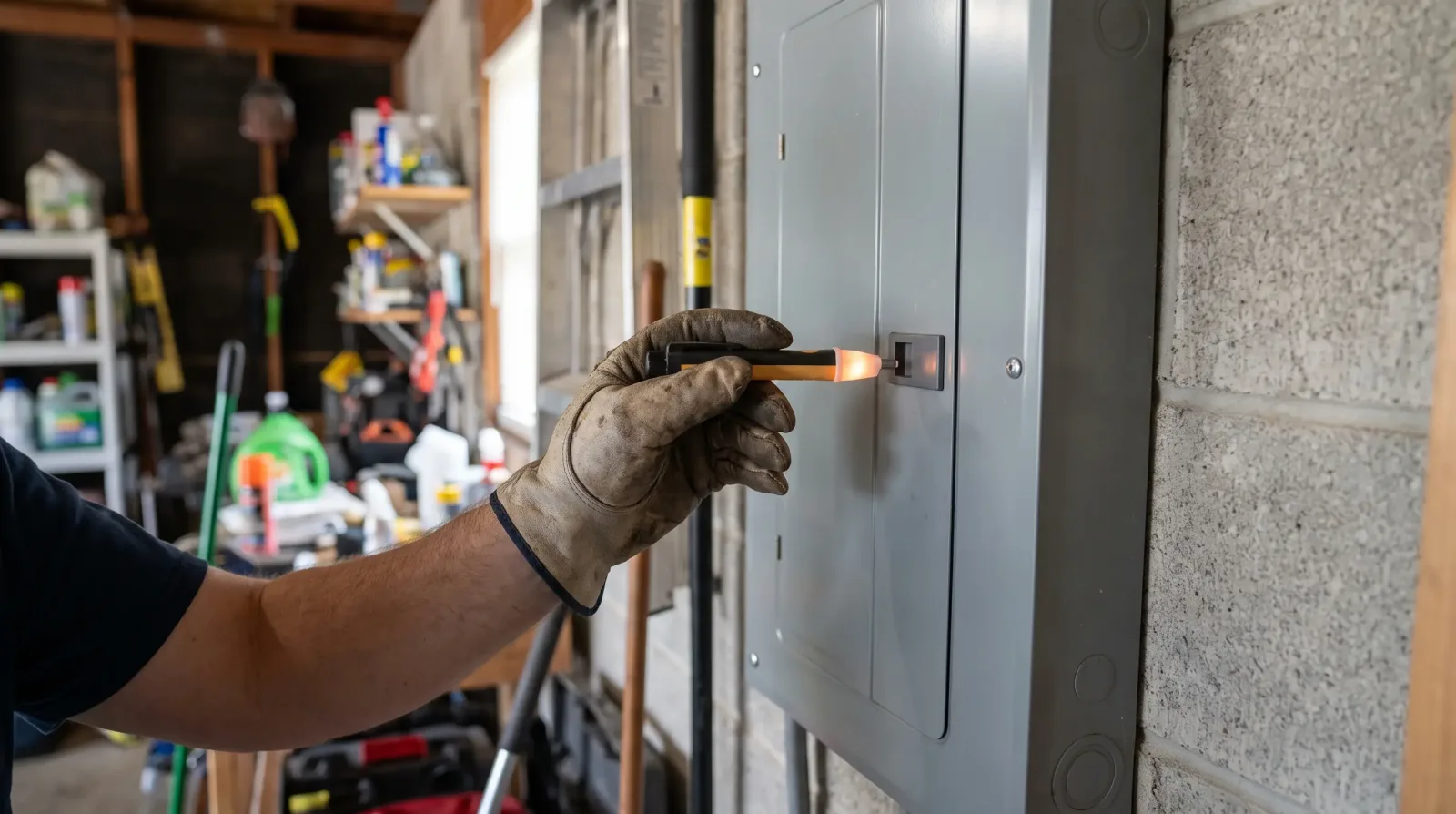
The “no electrician needed” lines on the Jackery 3600 Pro Max (240V from a 120V outlet) and Anker F3800 Plus (expansion batteries) are about those specific features. Both makers also sell manual transfer switch bundles, and those connect to your house panel. That’s electrician work. So is EcoFlow’s Smart Home Panel 2, which EcoFlow itself says requires installation.
Manufacturer prices as of October 7, 2026
These are the prices each maker showed on its own page on October 7, 2026. They are not a store shelf price.
| Model or configuration | Price as of October 7, 2026 | Source |
|---|---|---|
| Anker SOLIX C1000 | $469.99 | Anker SOLIX |
| Jackery Explorer 1000 v2 | $499.00 | Jackery |
| EcoFlow DELTA 3 Plus (variant DELTA 3 Plus, SKU EFDELTA3P-US) | $674.00 | EcoFlow US |
| BLUETTI Elite 200 V2 | $849.00 | BLUETTI |
| Anker SOLIX C2000 Gen 2 | $849.99 | Anker SOLIX |
| EcoFlow DELTA 3 Max Plus (SKU EFD3MP-US) | $1,106.00 | EcoFlow US |
| BLUETTI Apex 300 | $1,499.00 | BLUETTI |
| Jackery HomePower 3600 Pro Max | $1,714.00 | Jackery |
| EcoFlow DELTA 3 Max Plus + Smart Extra Battery (4kWh), bundle, SKU D3MP-D3MPEB | $1,961.00 | EcoFlow US |
| Anker SOLIX F3800 Plus | $2,269.99 | Anker SOLIX |
| EcoFlow DELTA Pro 3 (SKU EFDELTAPRO3-US) | $2,799.00 | EcoFlow US |
| EcoFlow DELTA Pro 3 + Transfer Switch (SKU DP3+TS) | $3,049.00 | EcoFlow US |
| BLUETTI Apex 300 + B500K, bundle | $3,299.00 | BLUETTI |
| EcoFlow DELTA Pro 3 + Smart Home Panel 2 (SKU DP3+SH2), installation not included | $4,189.00 | EcoFlow US |
| EcoFlow DELTA Pro 3 + Extra Battery (SKU DP3+EB), bundle, not the battery alone | $4,244.00 | EcoFlow US |
The page I read for the Jackery Explorer 2000 v2 listed only bundles, so it has no price here. Bundle prices are bundle prices, not the add-on alone.
How I’d narrow it down
- Running the fridge and router off extension cords? Start in the 1,000 Wh class and compare UPS times and expansion.
- Want more output and room to grow without panel work? Look at the 2,000 Wh class and check which expansion batteries are actually shipping; EcoFlow and Anker both mark parts as coming soon.
- Want circuits in the house on backup? Look at the 2,700 Wh+ class, where the makers sell transfer switches or panels, and budget for a qualified electrician and check whether your area needs a permit.
- Worried about a sump pump in an outage? Read my sump pump battery backup checklist before you count on any of these for it.